Diagram and Content Demo
About this page
Section titled “About this page”This is a website demonstration using fictional facts. It is not legal advice and does not state the law of any jurisdiction.
The two diagrams below are attached through this page’s frontmatter. No component imports are needed in the page body.
Fictional problem question
Section titled “Fictional problem question”Alex and Blair exchange messages about buying a used laptop.
- Alex sends a message discussing a price.
- Blair replies later that day.
- Some of the messages are missing from the material provided.
- Alex and Blair disagree about what their conversation meant.
No legal conclusion is supplied. The purpose is to test how notes, questions and diagrams appear together.
Sample study notes
Section titled “Sample study notes”Organize the facts
Section titled “Organize the facts”Create a timeline of the available messages. Separate information shown in the material from assumptions.
Identify questions for research
Section titled “Identify questions for research”- What exactly did each message say?
- Which messages are missing?
- Which jurisdiction and course materials apply?
- What authorities would need to be checked?
Answer plan
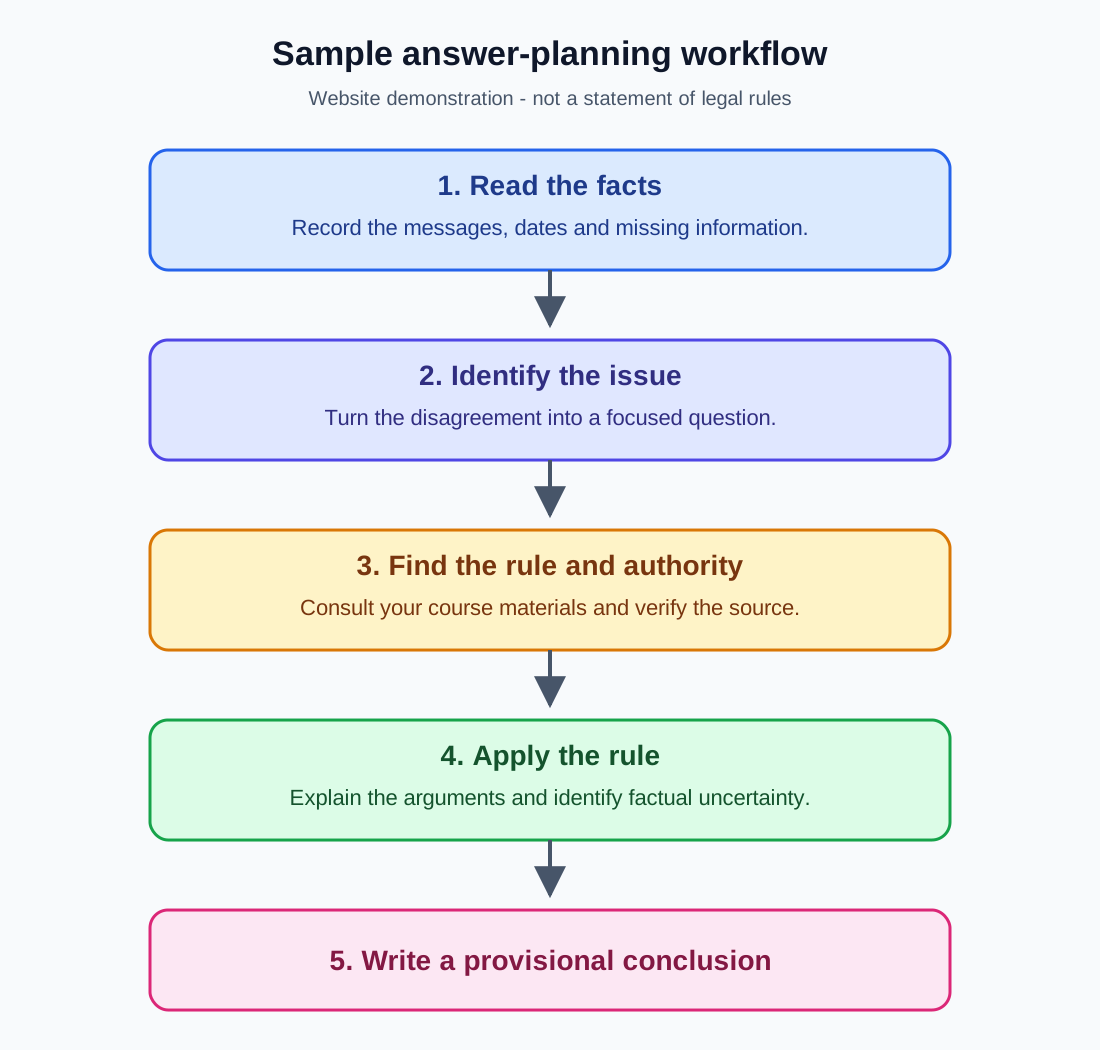
Section titled “Answer plan”- Issue: state the question being considered.
- Rule and authority: insert the verified rule and supporting source.
- Application: explain how the available facts relate to the rule.
- Provisional conclusion: explain the result and remaining uncertainty.
Viewer test checklist
Section titled “Viewer test checklist”- Both diagrams appear in the viewer.
- Previous and Next switch diagrams.
- The diagram-name buttons select the correct image.
- Zoom in and zoom out work.
- Dragging moves the diagram.
- Reset restores the initial view.
- Download saves the selected SVG.
- Full screen works where supported by the browser.
- Text descriptions can be expanded.
- Refreshing the page remembers the selected diagram when storage is available.
Search test phrase
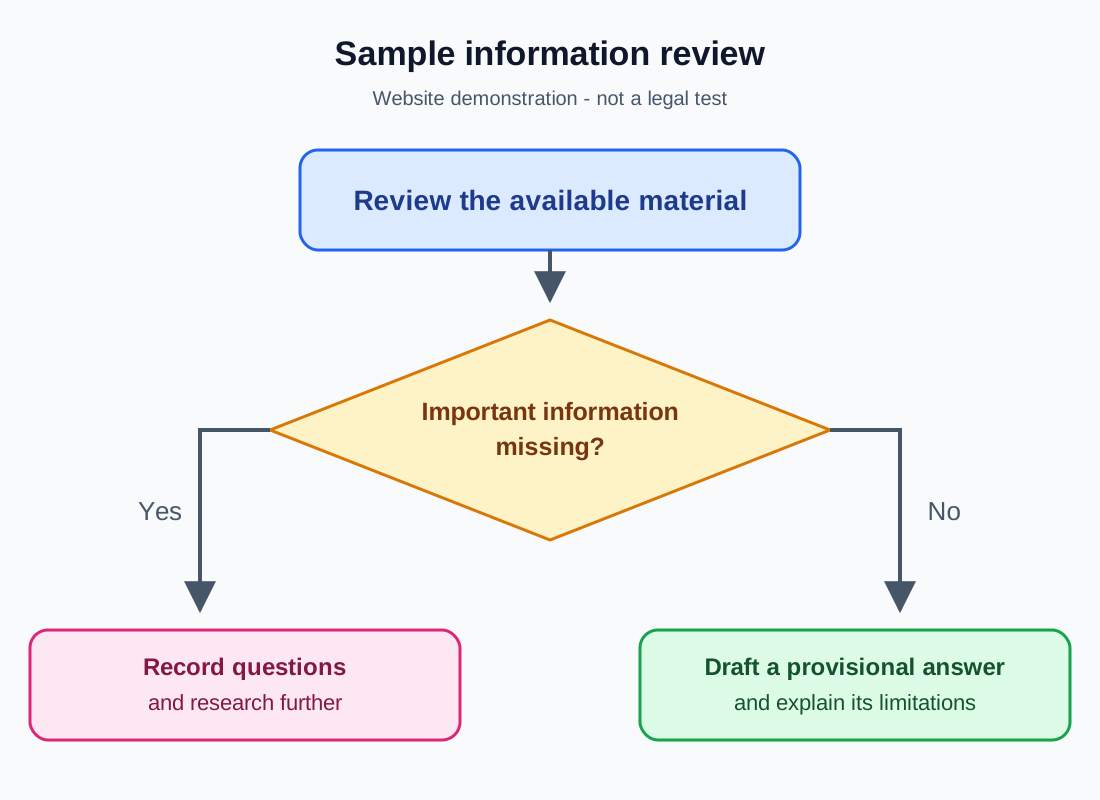
Section titled “Search test phrase”The phrase “sample information review” also appears in the second diagram’s title.
Website search should find written page content after the site is built. It does not highlight text inside the graphic.
Diagrams
Drag to pan. Pinch to zoom on a touch screen. Hold Ctrl or Cmd while scrolling to zoom. Click the diagram area before using keyboard controls: arrow keys switch diagrams, + and − zoom, and 0 resets. Press Esc to leave full screen.
Text descriptions
Answer-planning workflow
The flowchart proceeds through five steps. First, read the facts and record messages, dates and missing information. Second, identify the issue by turning the disagreement into a focused question. Third, find the rule and authority using course materials and verified sources. Fourth, apply the rule, explaining competing arguments and factual uncertainty. Fifth, write a provisional conclusion. This is a demonstration workflow, not a statement of legal rules.
Information review
Start by reviewing the available material. Ask whether important information is missing. The Yes branch leads to recording questions and researching further. The No branch leads to drafting a provisional answer and explaining its limitations. This diagram illustrates a study workflow, not a legal test.